|
This page demonstrates the difference that indirect flash can make in
the quality of a photograph. Both images below were made with a Kodak
P850 digital camera. Unfortunately, they were not made with exactly the
same focal length, but that is not the cause of the difference in quality.
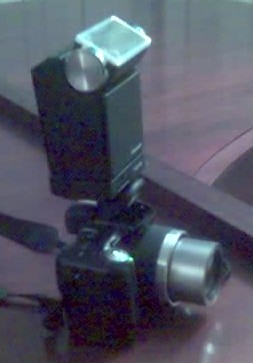
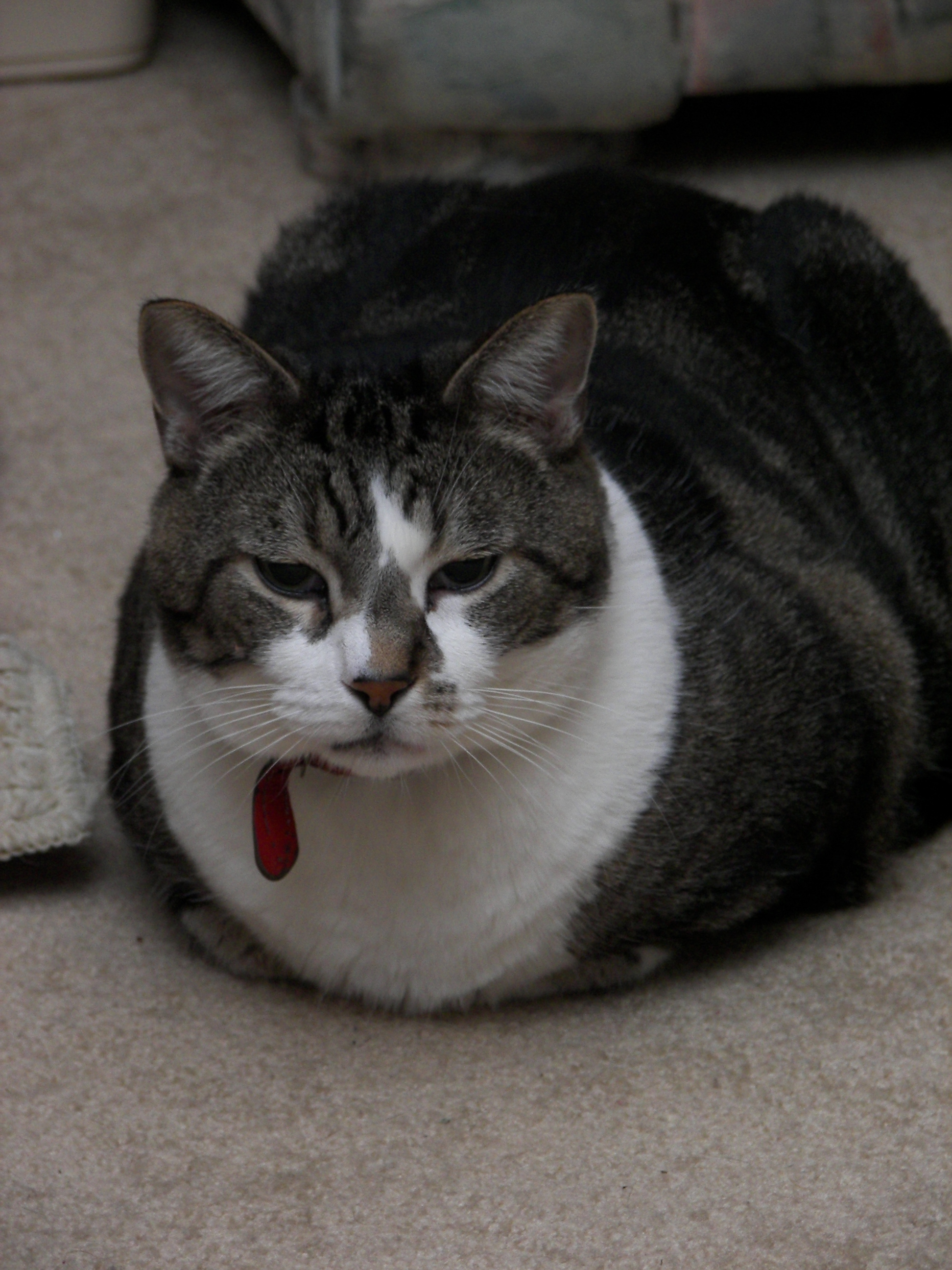
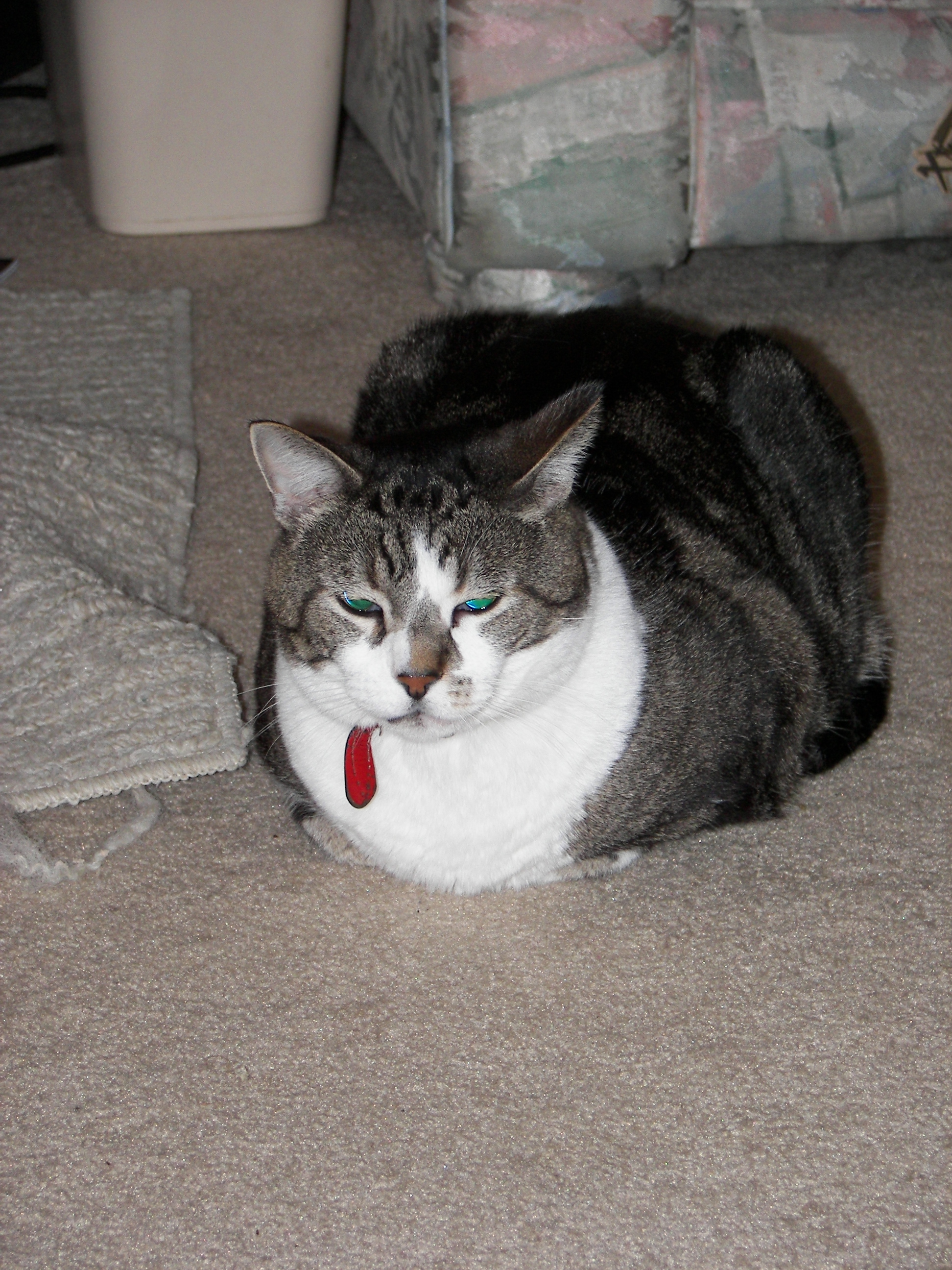
The image below on the right was made with the camera's built-in pop-up flash. It is located right above the lens and points straight forward. Even images made with the best cameras suffer many of the same defects as this image when a direct, in-your-face flash is used. The image is flat because all the contours receive full light from the camera's point of view. There is a "ghost" shadow immediately behind the subject because of the direction of the light. Red-eye (or green-eye in the case of this cat) is a problem, though it can be somewhat mitigated with many cameras' red-eye reduction setting, which was not used here. The image below on the left was made with the same camera using an external flash unit that pivots up so that the light can be bounced off of the ceiling. That results in a diffuse light from above in place of the harsh in-line light from the camera's own flash. Note the soft shadows beneath the subject, as well as beneath the subject's brow, chin, breast, etc. That is a much more natural and pleasing effect, and the contours of the subject are not washed out. It is dark under the sofa and the corner of the rug, as it should be. This technique and variations on it are discussed in any good photographic text. The difference it makes is probably even more dramatic with human subjects. The external flash unit I used is nothing special. It is not Kodak's recommended unit that talks with the camera's computer, so the results it can achieve are probably not as good as are possible with Kodak's unit. It has a photo sensor that measures the light in the scene and turns off the flash when enough light is detected. When the flash is rotated to bounce off the ceiling, less light is received, so the sensor automatically lets the flash fire longer -- it's very simple. There a guide on the flash that indicates its capabilities at various ISO speeds and aperature settings. The camera's manual (M) mode is used to select a combination of settings that the flash works with. The camera with the external flash unit is pictured to the right. (Sorry for the awful phonecam picture -- my good camera was on the piano being photographed.) |
|
|
|